Monetization – Overview
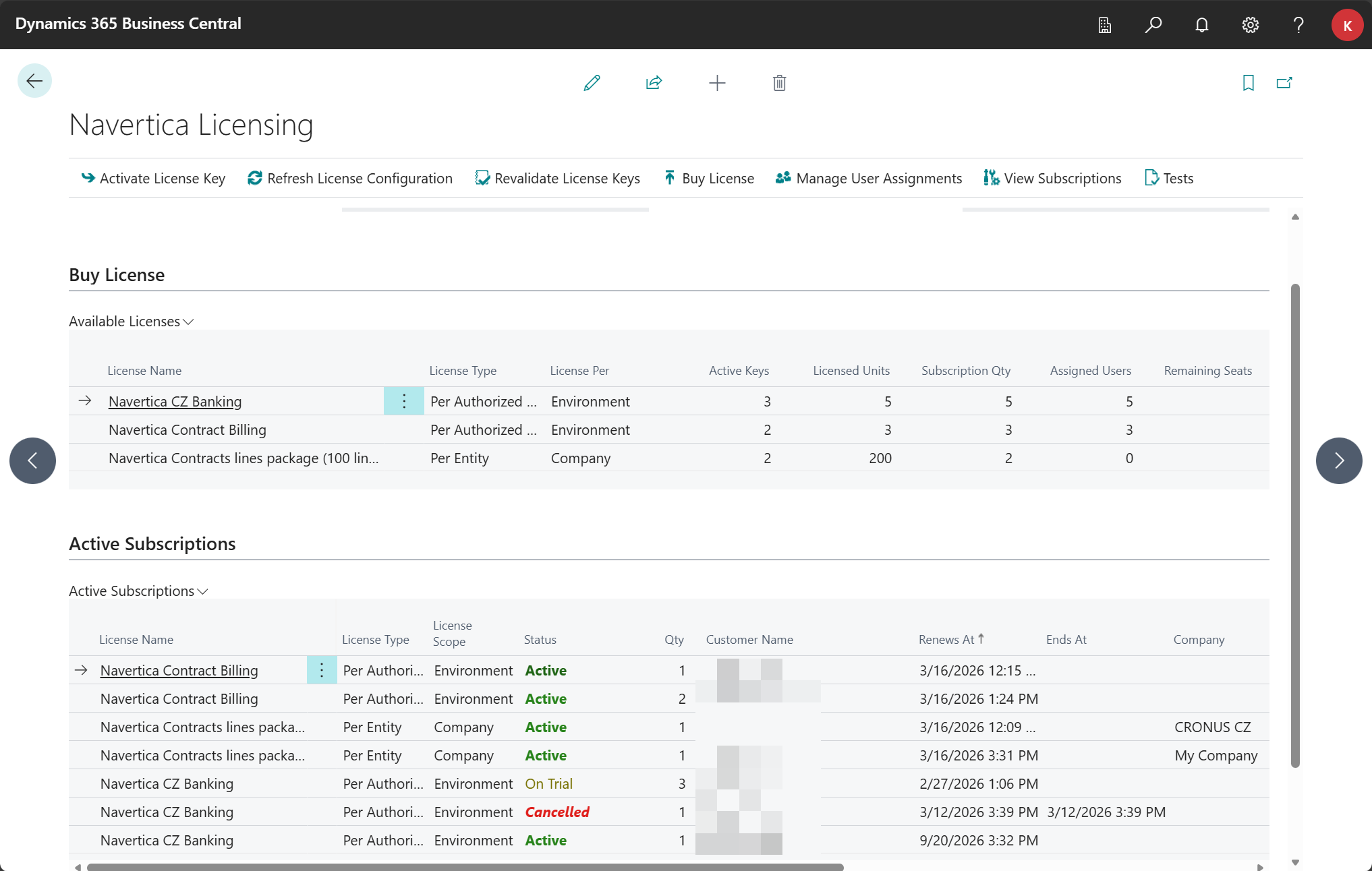
The Navertica Licensing module provides license management for Navertica extensions within Business Central. It offers a unified interface for purchasing licenses, activating license keys, assigning users, and managing subscriptions directly from Business Central.
Key Features
- License Purchase – buy licenses directly from Business Central via a secure payment portal
- License Key Activation – activate keys received by email after purchase
- User Management – assign and unassign licenses to individual users (for Per User license types)
- License Key Deactivation – deactivate keys you no longer need
- Subscription Management – overview of subscriptions, status, renewal, and payment methods
- AppSource Purchase – alternative license purchase directly from Microsoft AppSource
License Types
| License Type | Description |
|---|---|
| Flat Rate | Fixed price, unlimited usage |
| Per User | Per-user license – requires assignment to specific users |
| Per Authorized User | Per authorized user license – similar to Per User |
| Per Entity | Per-entity license – quantity corresponds to the number of allowed units (e.g., records) |
| Metered | Usage-based license – pay based on actual consumption |
License Scope
Each license has a defined scope:
- Environment – the license applies to the entire Business Central environment
- Company – the license applies only to a specific company within the environment
Getting Started
- Open the Navertica Licensing page in Business Central (use the search function)
- In the Buy License section, you will see available licenses
- After purchasing a license, you will receive a license key by email
- Activate the license key using the Activate License Key action