Version and Change Overview
All news of the version published on AppSource are listed here.
Version 23.4.168166.0
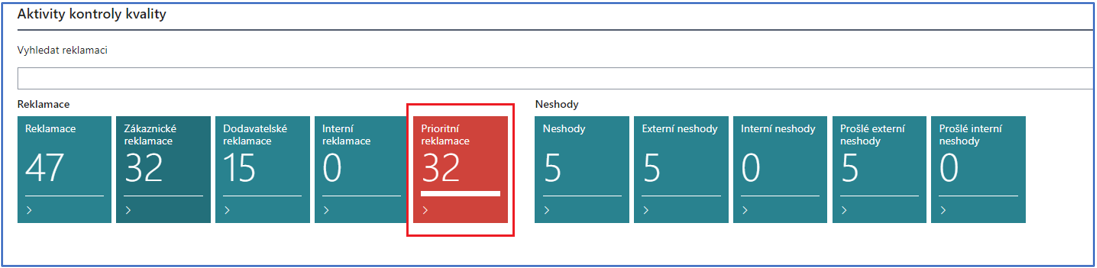
Priority Claims
A cue in the role center for Return Claims. It shows the list of Return Claims whose legal settlement deadline is approaching. The Return Claim Setup contains the field Priority Claims - Notification Period, where the length of the period for which the open Return Claims should be displayed in this cue can be set. The period is calculated from the work date plus this period. E.g. setting this period to 10D displays the Return Claims whose legal deadline expires within 10 days from the current work date.
Internal Return Claims
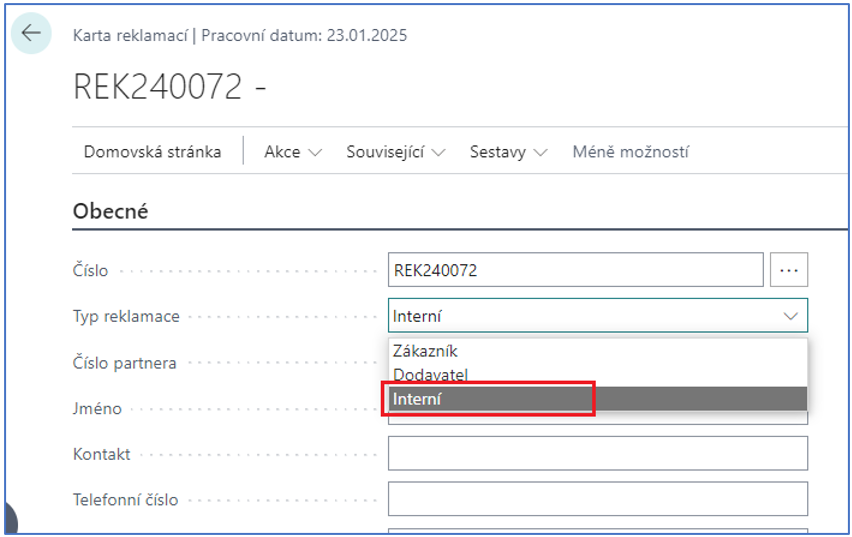
Return Claims that are primarily not bound to a customer or a vendor, but record the claim cases of internal processes. An internal Return Claim card is determined by the value Internal in the Return Claim Type field.
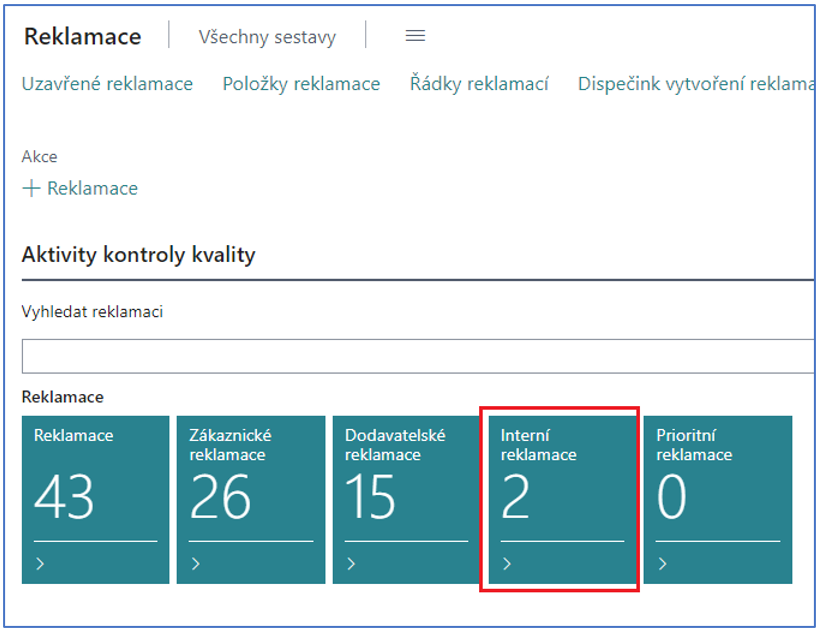
The Complaint Management Role Center contains a separate cue displaying the internal Return Claims.
Files and Photo Documentation of a Return Claim
The functionality allows attaching and registering various files (e.g. photo documentation and other documents) to the claimed item. Files are attached on the Return Claim line with the action Upload File. The stored files are then displayed in the Files FactBox.
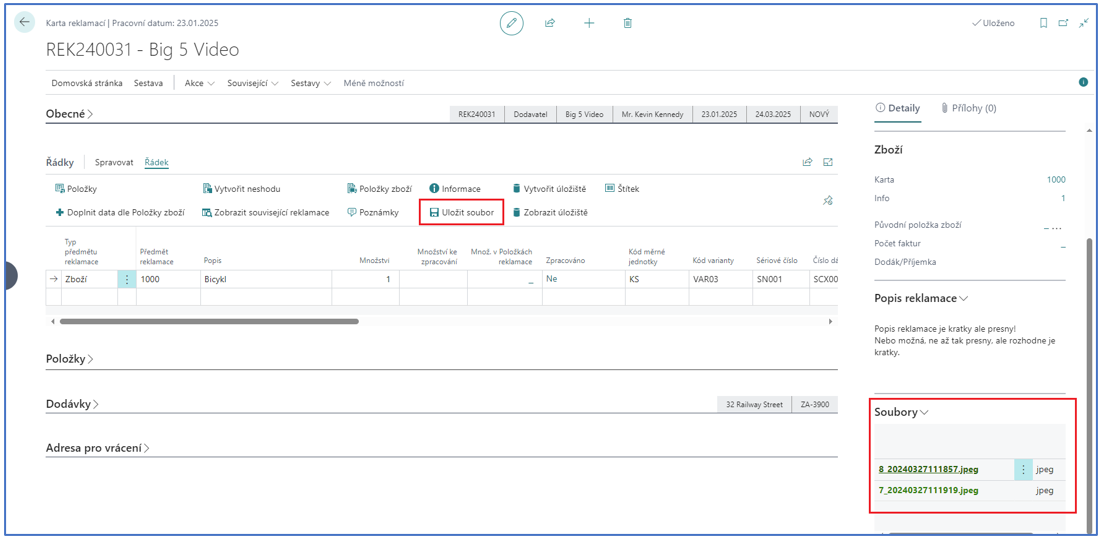
Photos are taken with the action Take Photo in the Return Claim header (the user then selects the line the photo documentation belongs to), or with the line action.
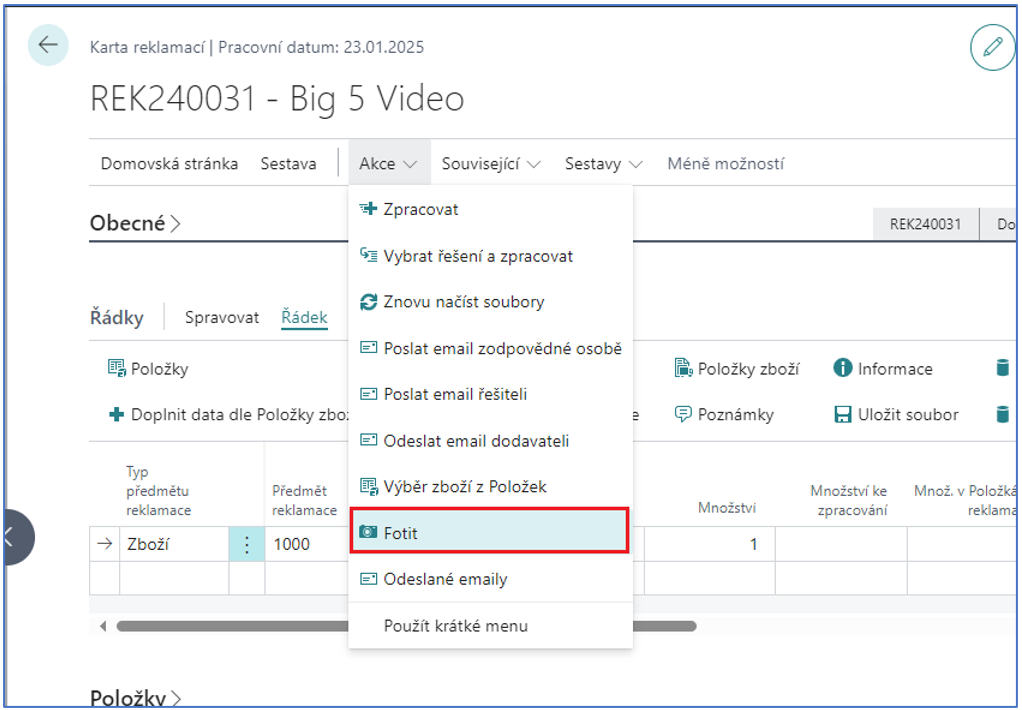
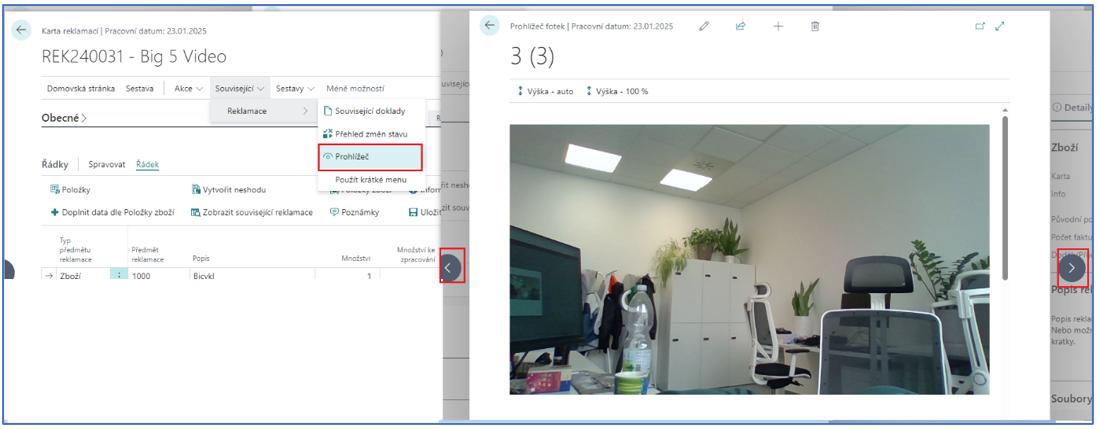
The stored files (photos) can be displayed with the action Viewer, where you can browse the individual photos.
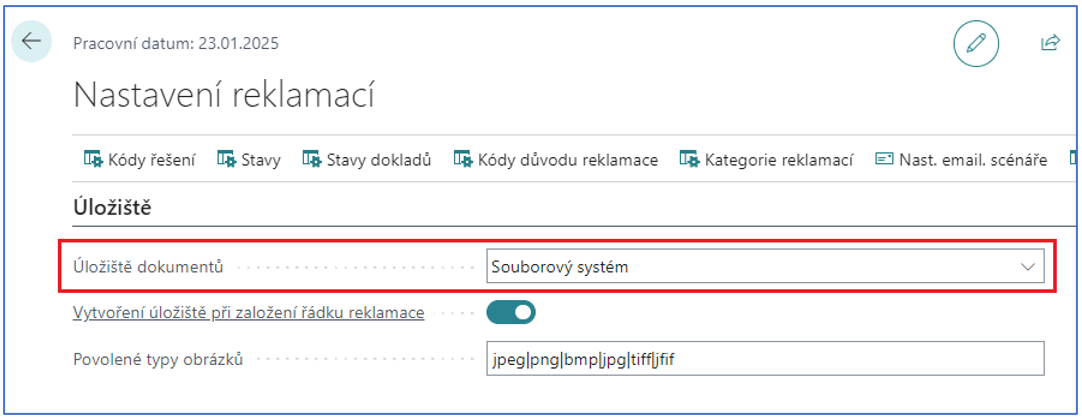
Files can be stored on several types of storage. The current version supports:
• Azure Blob Storage
• SharePoint Online
• File system (OnPrem only)
The storage type is defined in the Return Claim Setup in the Files Storage field.
Parameters must be defined for each storage type. For the storage type:
-
File system, the root directory of the file system must be defined, i.e. the place on a network disk where the data will be stored. This variant works only in OnPrem solutions and is a part of the extension application Navertica CPM File system storage.
-
Azure Blob Storage, the Azure Blob Storage Account Name and the Azure Blob Storage Shared Access Key must be defined.
-
SharePoint, the client application ID, the client secret, the URL and the library must be defined.
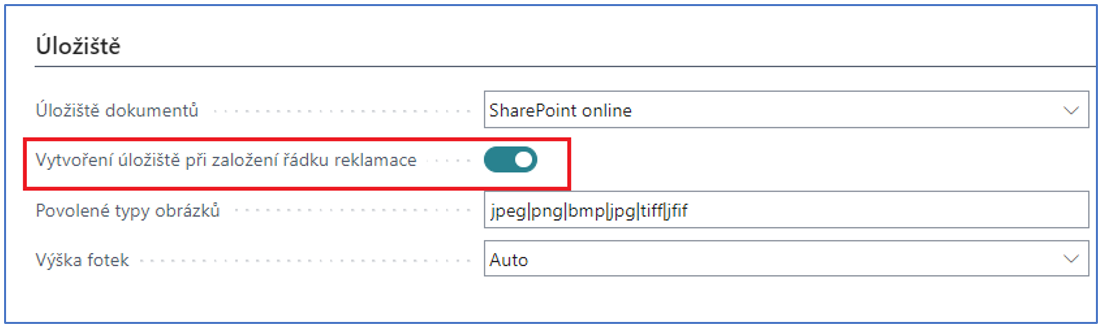
The target storage (folder) is always bound to the Return Claim line. The storage can be created automatically when the Return Claim line is created, or manually with a button (i.e. a folder corresponding to the given Return Claim line is created on the defined storage). The option is controlled by the Return Claim Setup.
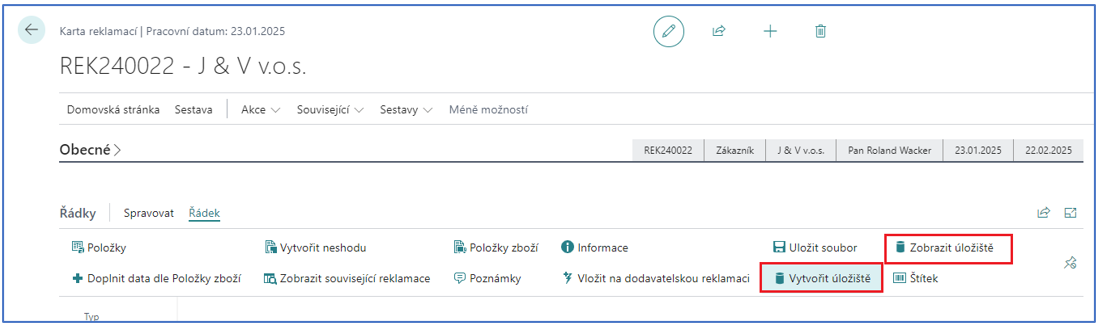
Within the BC client, files can be deleted and downloaded to the local PC.
Sent Emails
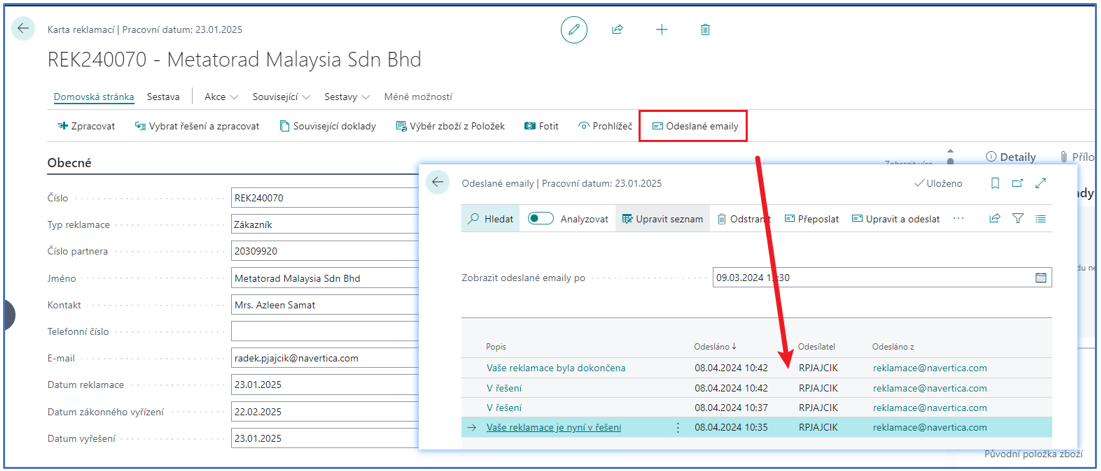
A standard e-mail scenario with the sending e-mail address can be set for the sent e-mails. All e-mails sent for the given Return Claim can be displayed separately.
External Service
Allows controlling the process of the external service of claimed items. The process itself consists of:
-
Receiving the claimed item to the warehouse
-
Sending the items to the service company using transfer orders
-
Returning the items from the service to the warehouse
-
Issuing the Service List for the customer
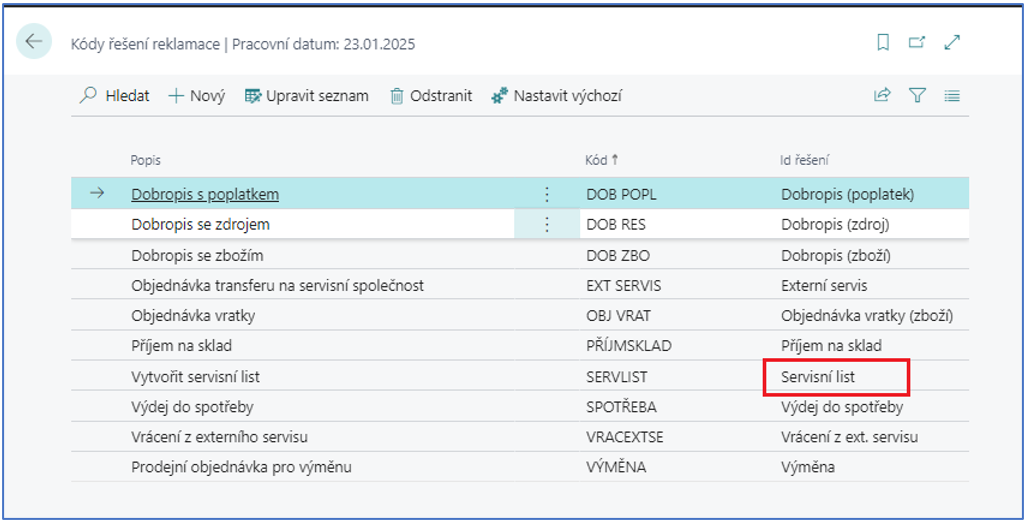
The solution codes External Service, Receive from Ext. Service and Service List are used for the service.
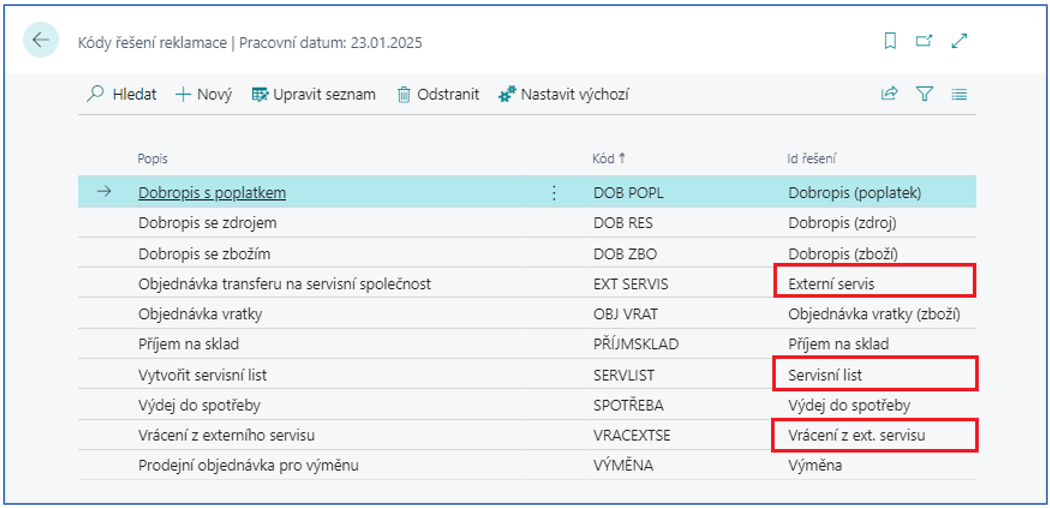
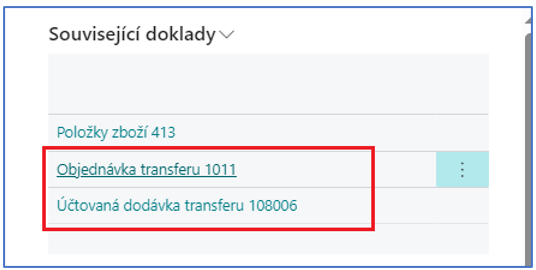
The External Service solution creates a transfer order between the location where the items were received (on the Return Claim line) and the location of the service company. The transfer order must then be posted. The number of the posted transfer shipment is then displayed in the related documents.
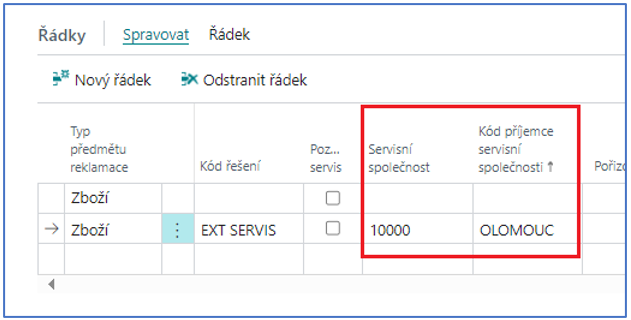
The service company is identified on the Return Claim line by the fields Service Company and Service Company Ship to Code.
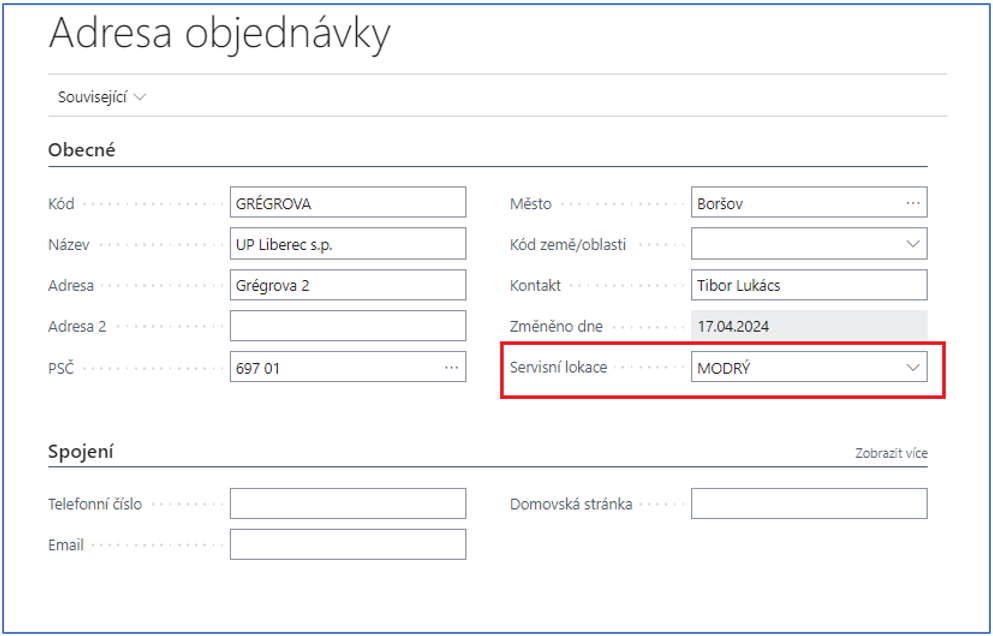
The target location is applied from the Service Location field of the service company ship-to code.
After the external service processes the items, the goods return back to the claim location. The return is performed with the solution code with the parameter Receive from Ext. Service. The process bound to this code performs the return of the goods through the reclassification journal. The next step is the creation of the service sheet.
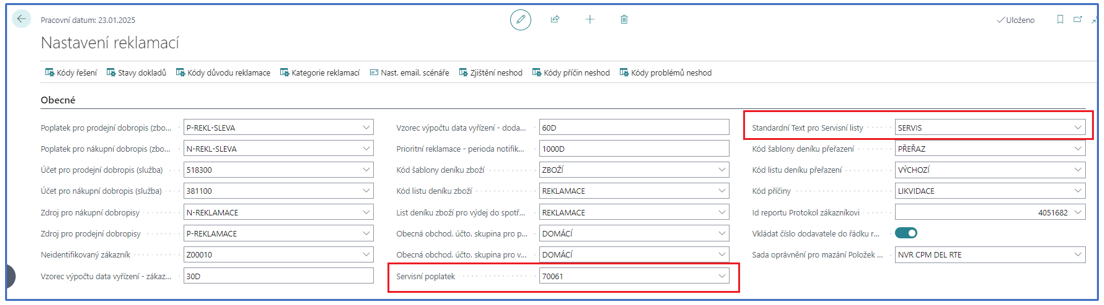
A sales order is created into which the service fee is applied (in the case of a post-warranty service), as well as the Service Standard Text.
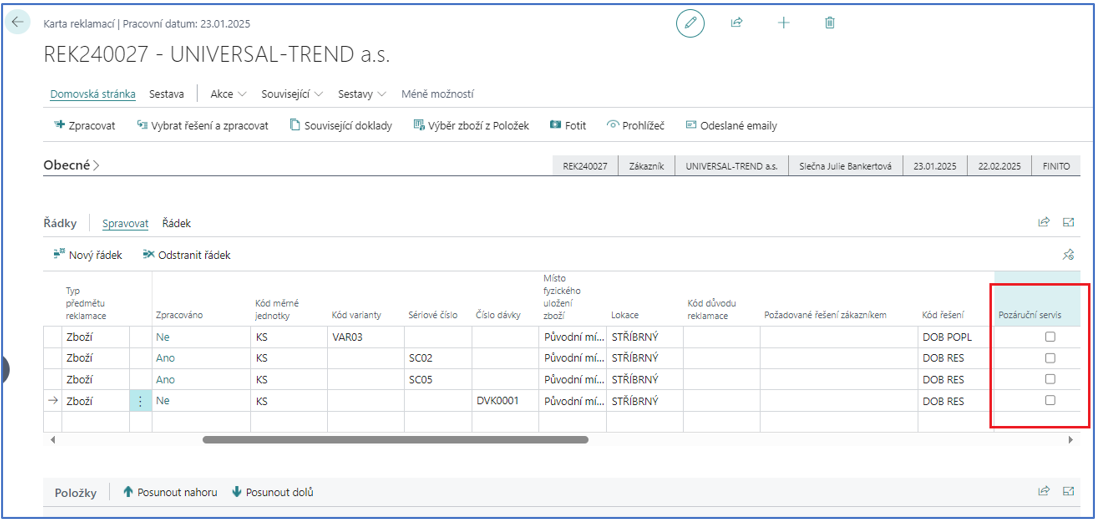
The identification of the post-warranty service is performed on the Return Claim line.
Credit Memo with Resource
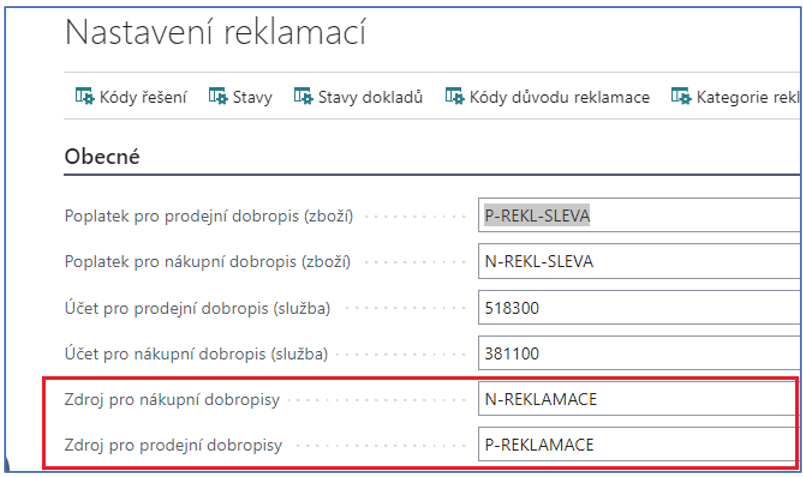
Allows creating purchase/sales credit memos for the claimed items which contain a predefined Resource card. Scenario: "I bought/sold the claimed item in the 'old' IS and I do not want to return/receive the item in the inventory of BC." The resource used in the credit memo is defined in the Return Claim Setup.
Entries of the Return Claim Line
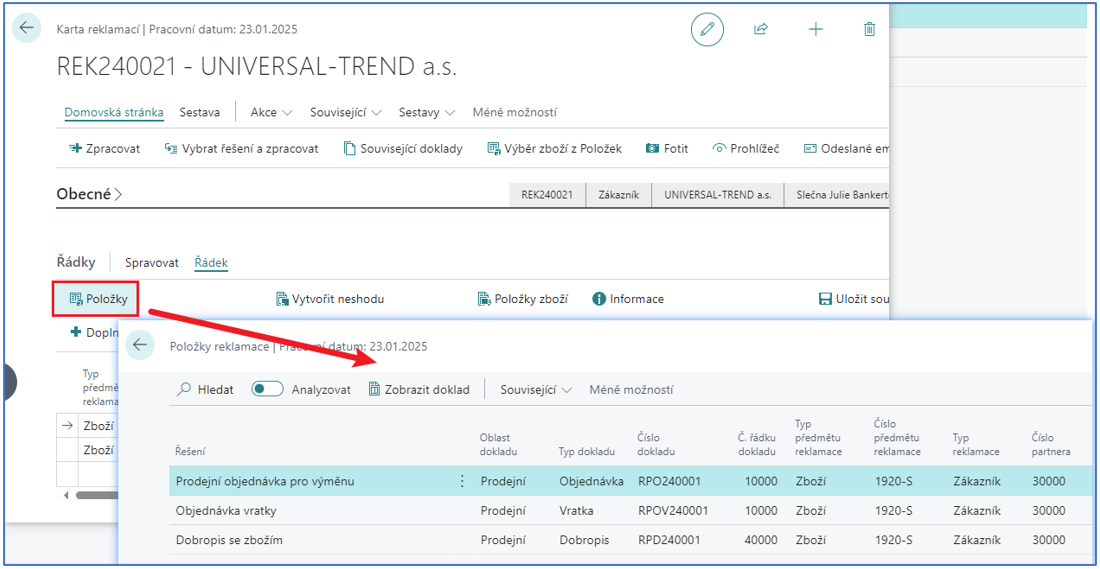
All related entries can be displayed for the Return Claim line. It works on the principle of filling the Return Claim number into the standard field External Document No. on sales documents, into the field Vendor Authorization No. on purchase documents, into the field External Document No. in the item journals and reclassification journals and into the field External Document No. on transfer orders. Standard BC then saves the values into the External Document No. field of the item ledger entries when posting.
The Return Claim Entries are also displayed directly on the Return Claim card in the Entries section.
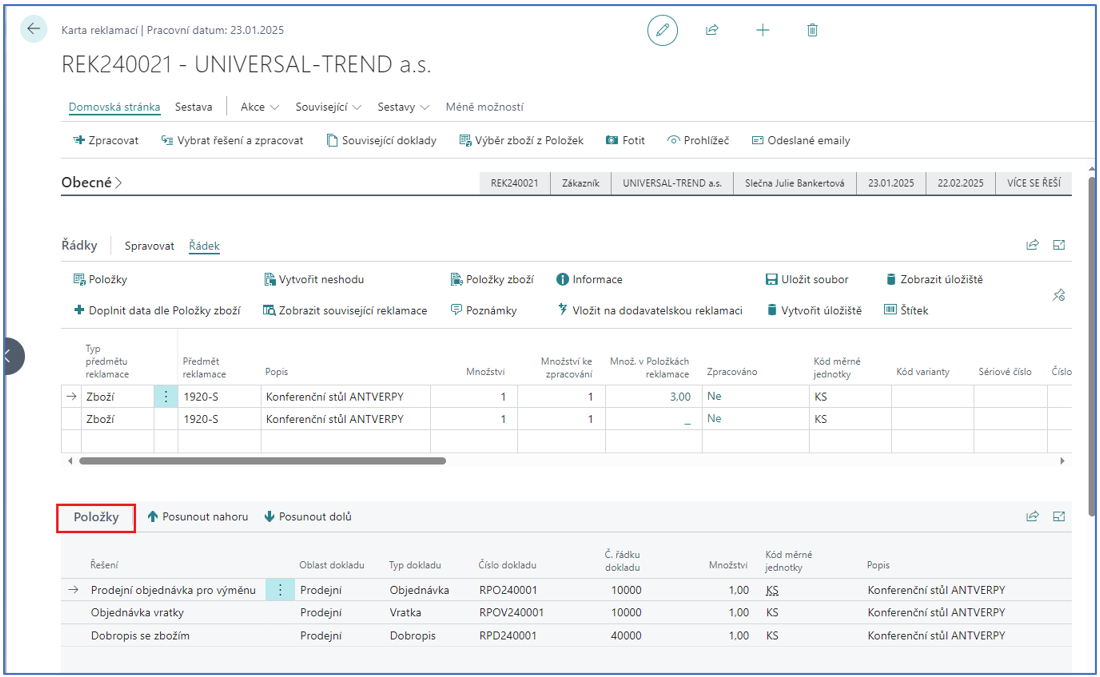
• A Return Claim Entry records the solutions/state of the Return Claim line.
• A Return Claim line can have several Return Claim Entries.
• A Return Claim Entry can be linked to the line of a related document (return order, order, transfer, item ledger entry, invoice, credit memo, ...).
• The line of a related document can be linked through the Return Claim Entry to only one Return Claim line.
The Return Claim card also contains the function Item Ledger Entries, which displays the item ledger entries by the External Document No.
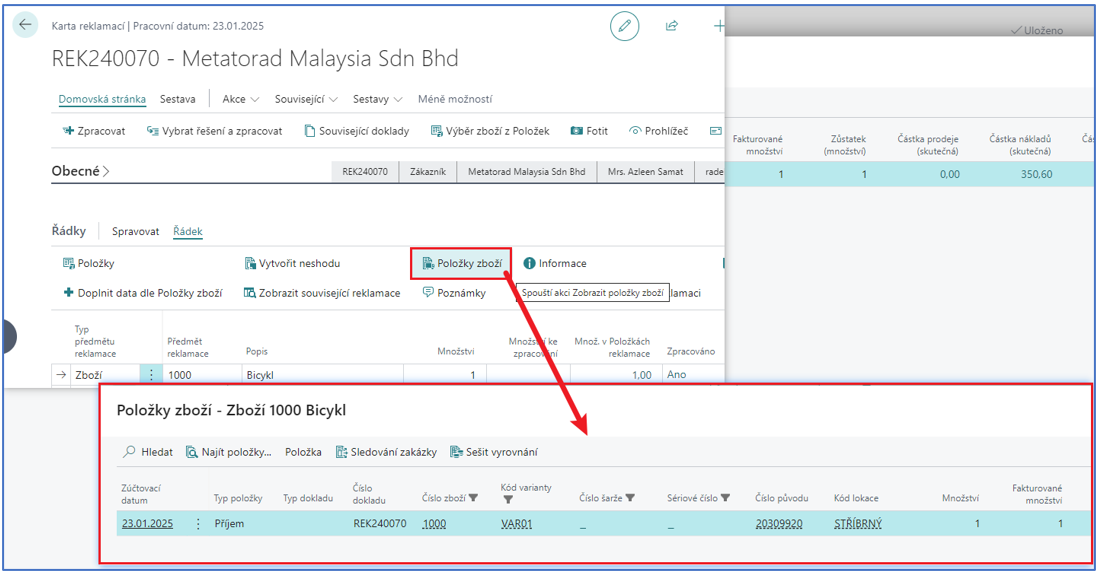
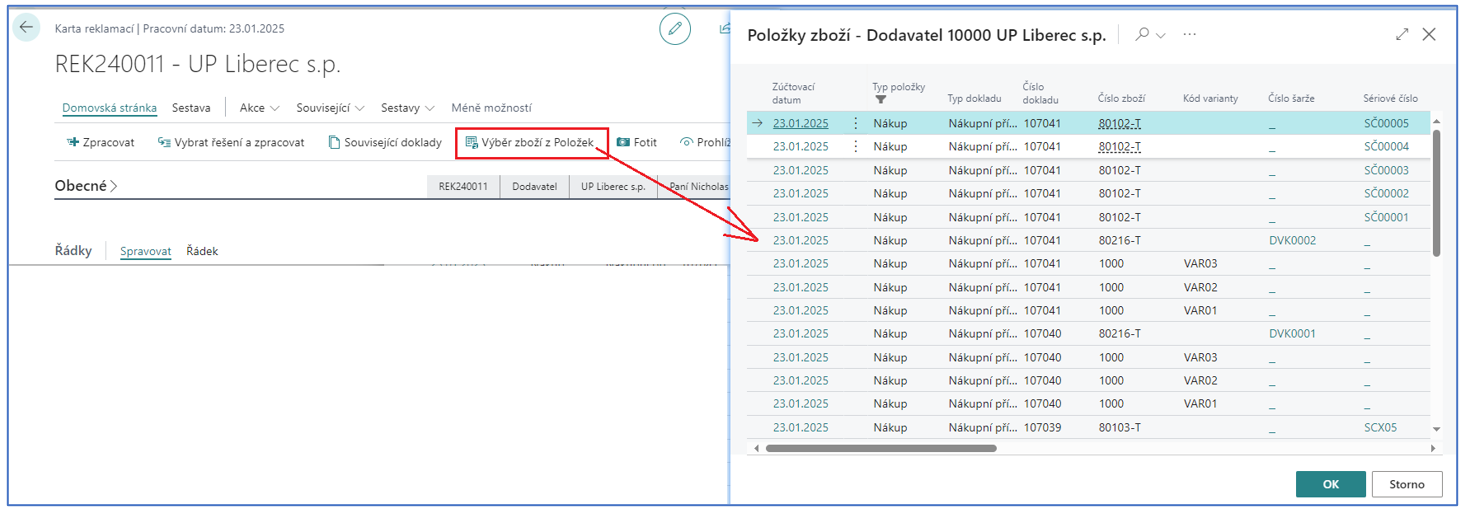
Creating a Return Claim - Selecting Items from Entries
The Return Claim lines can be created with a function which offers the item ledger entries by the customer or the vendor from the Return Claim header. Several entries can be selected.
Return Claim Statuses
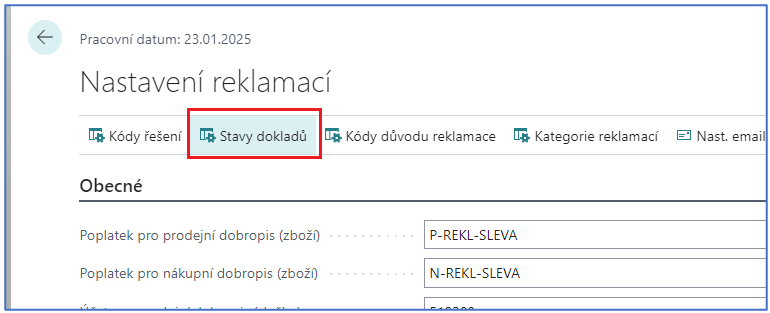
A user-definable code list of "statuses or phases" of the Return Claim. The status is entered into the Return Claim manually. The statuses are defined in the Return Claim Setup with the action Document Statuses:
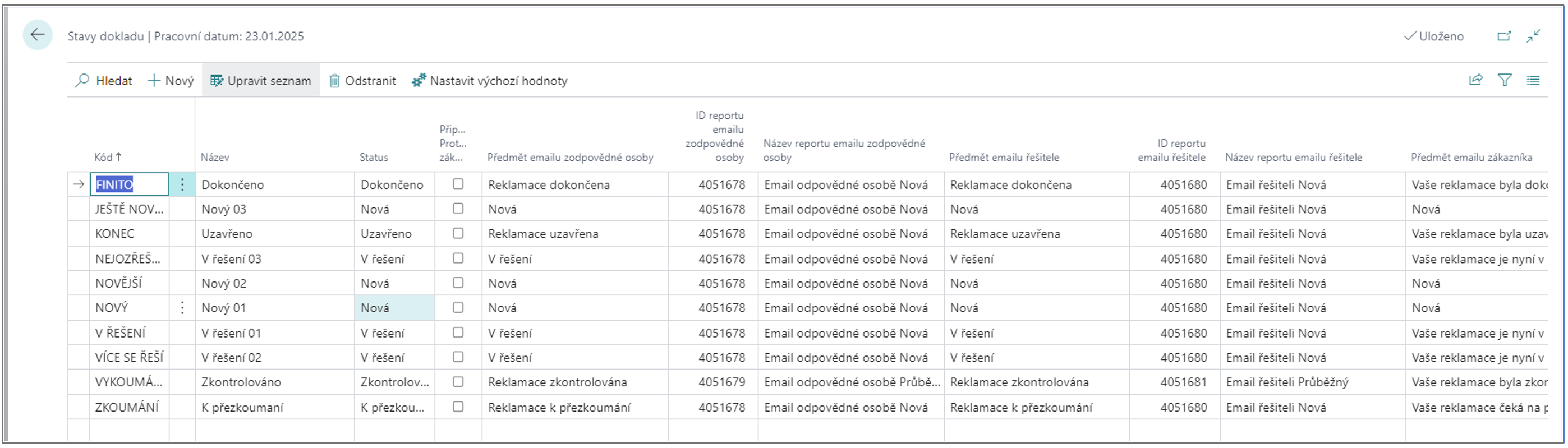
Here the e-mail notification settings are also defined for the statuses, together with the "internal" status the user value belongs to (certain processes are bound to the statuses on the Return Claim - e.g. the status Closed is the definitive status and the Return Claim is moved to the archive; to keep this behavior, an internal status is assigned to the user-defined values).
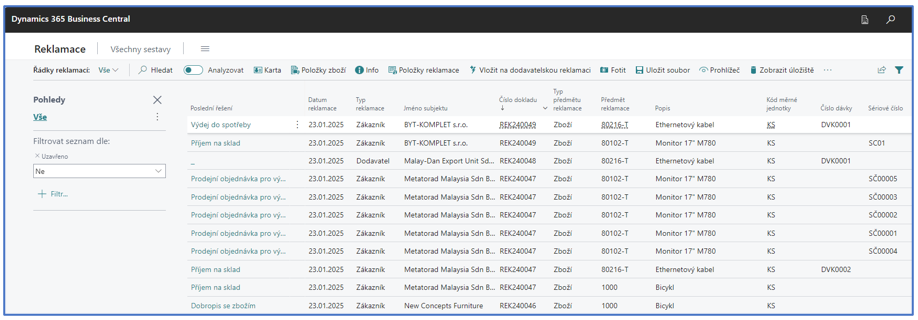
Return Claim Lines List
An overview of all open Return Claim lines with the information about the last solution of the Return Claim Entry, with the possibility of various ways of filtering.
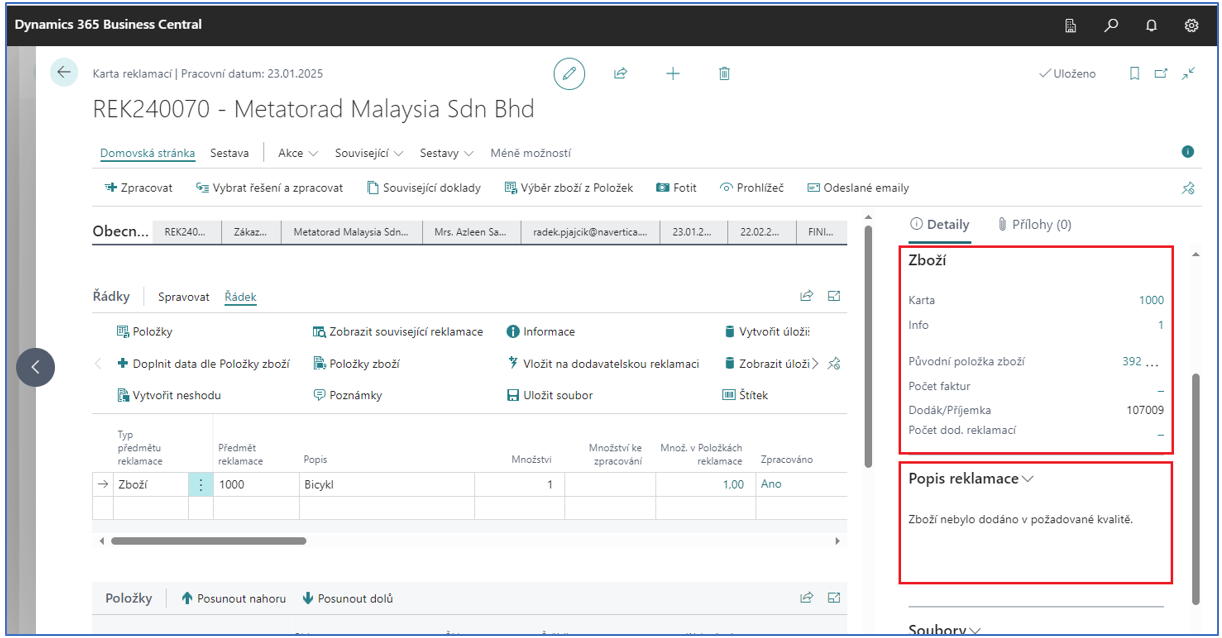
Item Details and Item Complaint Description FactBoxes of the Return Claim Line
Allows drilling down to:
-
The item card
-
The posted invoice
-
The receipt / shipment
-
The original item ledger entry by which the claimed item was sold or purchased
-
The applying item ledger entry of the sales item ledger entry
-
The purchase Return Claims linked to the sales Return Claim
-
The text information of the claimed item
Unit Cost on the Return Claim Line
Allows recording the original acquisition cost of the claimed item if the sale/purchase was not performed in BC but in the "original" system. The acquisition cost is then used on the related documents.
Original Sales/Purchase Prices of the Claimed Items on the Documents of the Return Claim
When creating purchase documents (return order, credit memo), the purchase price, the line and invoice discount are applied according to the original invoice. When creating sales documents (return order, credit memo), the sales price, the line and invoice discount are applied according to the original invoice.
Return Claims API
https://..................BC/api/navertica/cpm/v1.0/returnClaimHeaders?$expand=returnClaimLines An endpoint for creating Return Claims in BC from external systems and for reading the existing Return Claims from BC for external systems.
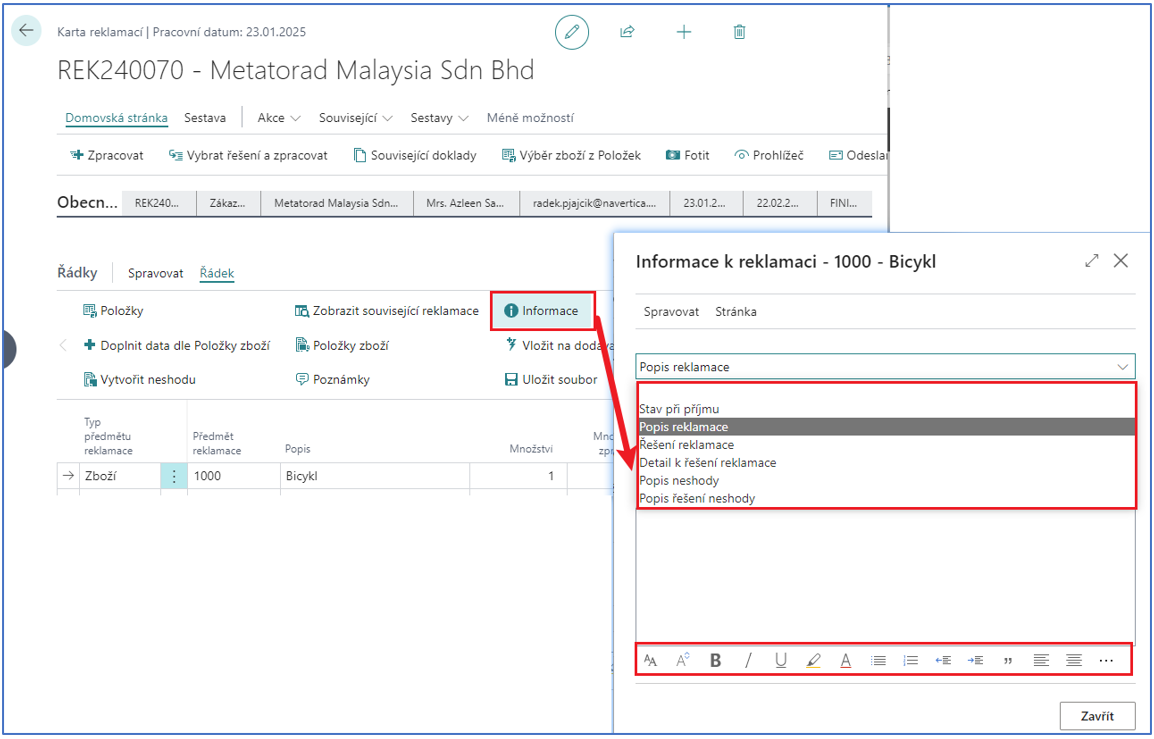
Texts of the Return Claim Lines
A change of the user interface for the registration of various kinds of free texts of the Return Claim line. The texts can be entered under the line action Information, where the user selects the type of the information.
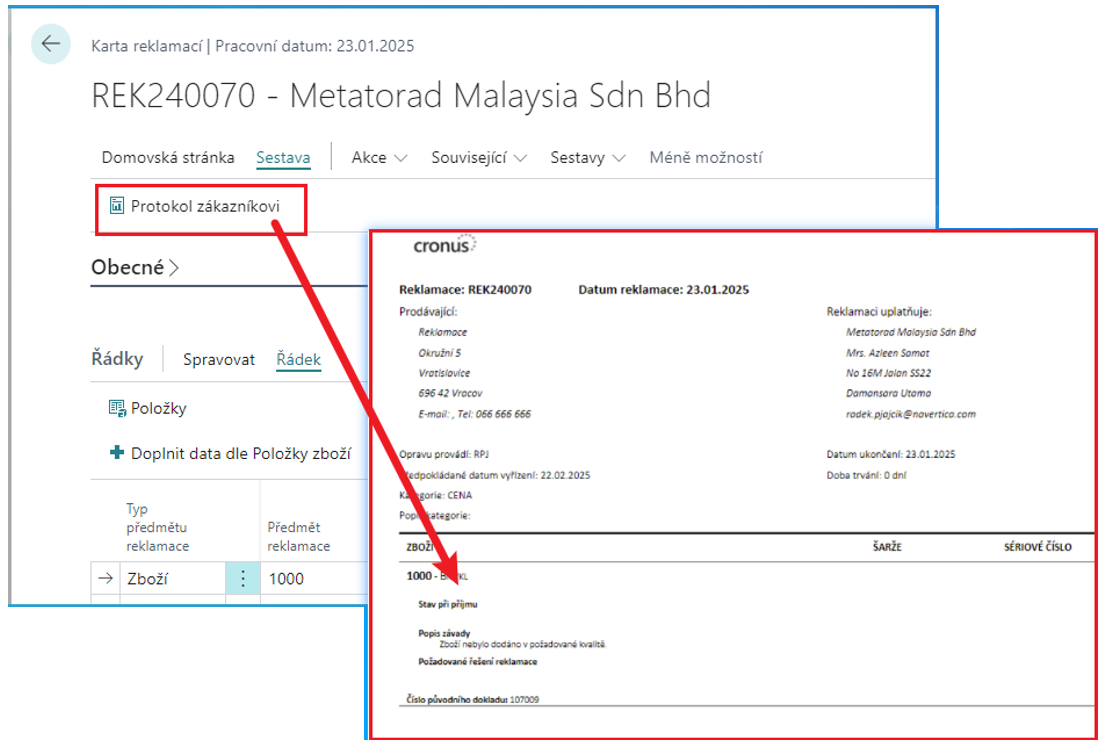
Customer Protocol
A new design of the customer protocol. The design of the protocol is created in MS Word. The customer can then create their own design of the protocols using the standard functionality.
Creating Vendor Return Claims Linked to Customer Return Claims
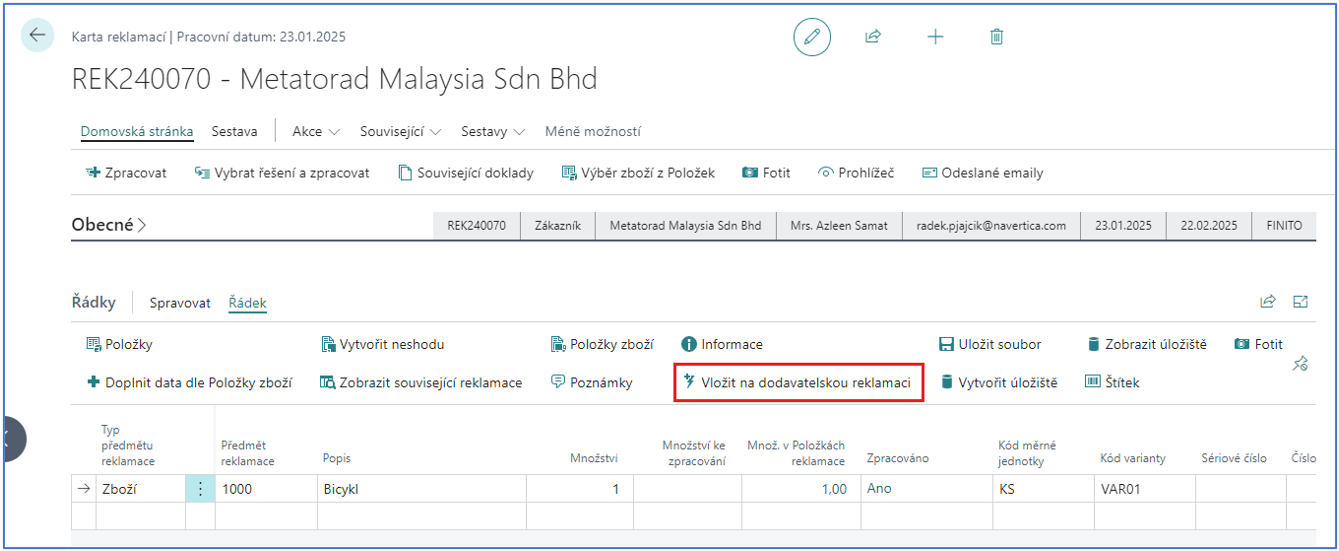
Allows creating vendor Return Claims from customer Return Claims in bulk. In principle, several vendor Return Claim items can be registered for one item of a customer Return Claim.
Create Return Claim Worksheet
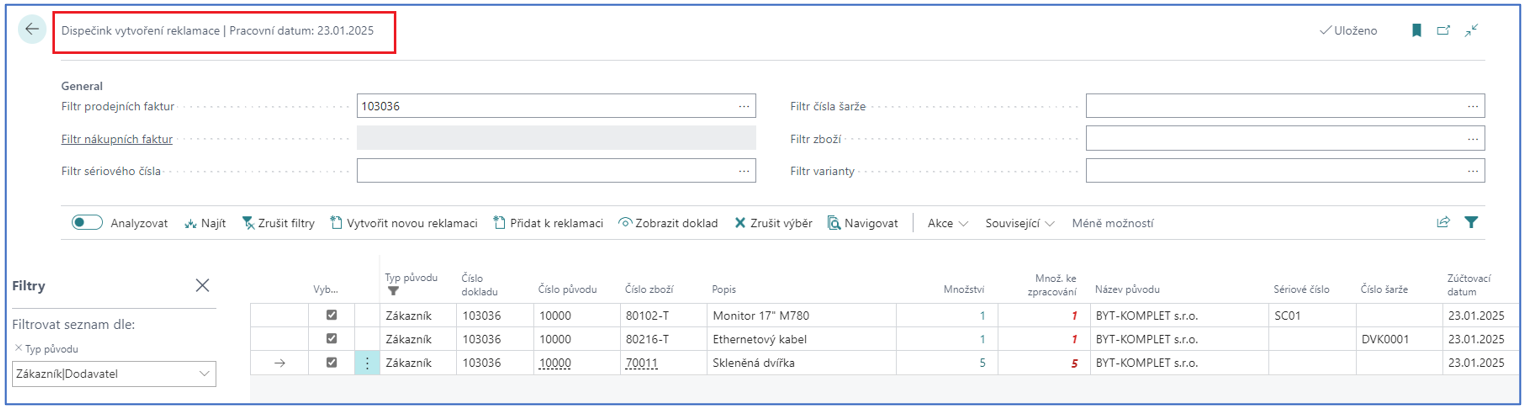
To simplify the creation of Return Claims, the Return Claim worksheet can be used. Filters on posted invoices or on the information related to the items are available here. The result of the filtering is a list of lines from which new Return Claims can be created, or the lines can be added to already existing Return Claims (the Return Claim must be in a status with the internal status New).
Add Line by Item
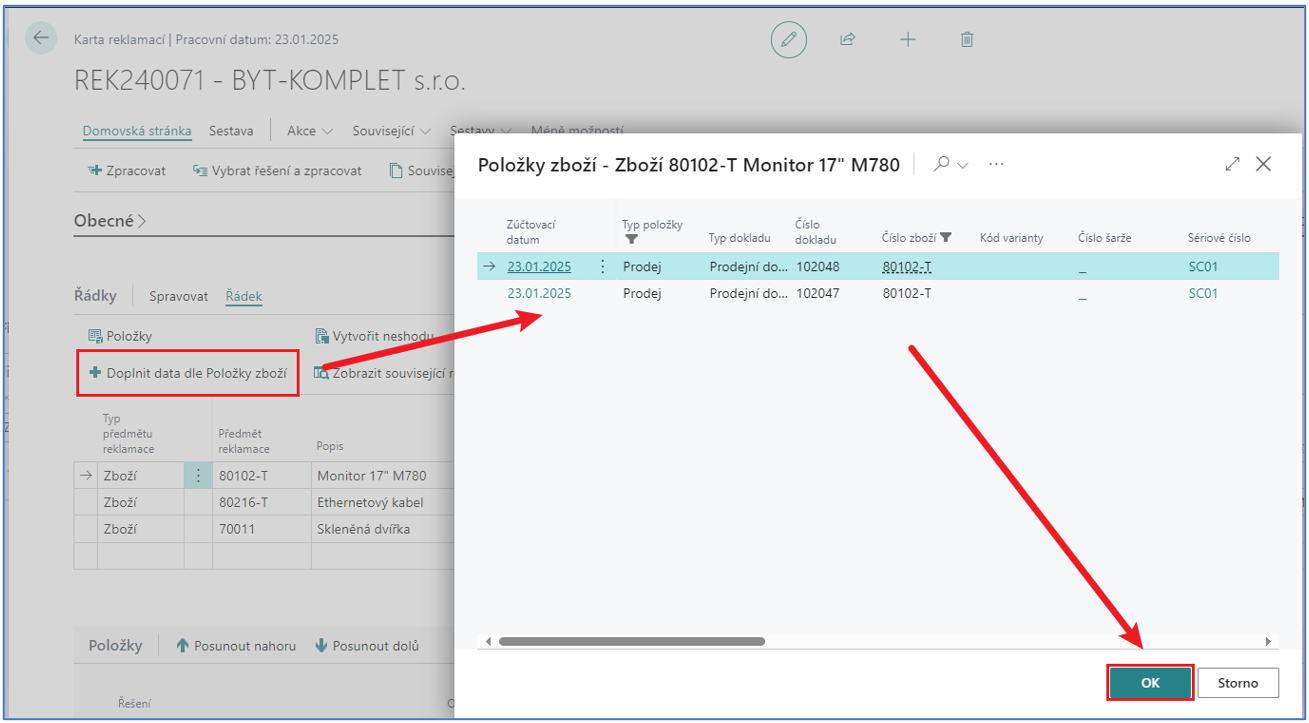
The function on the Return Claim lines allows filling in further related data of the Return Claim line, such as • The original item ledger entry • The lot number • The serial number • The invoice(s) • The receipt / shipment
Related Documents
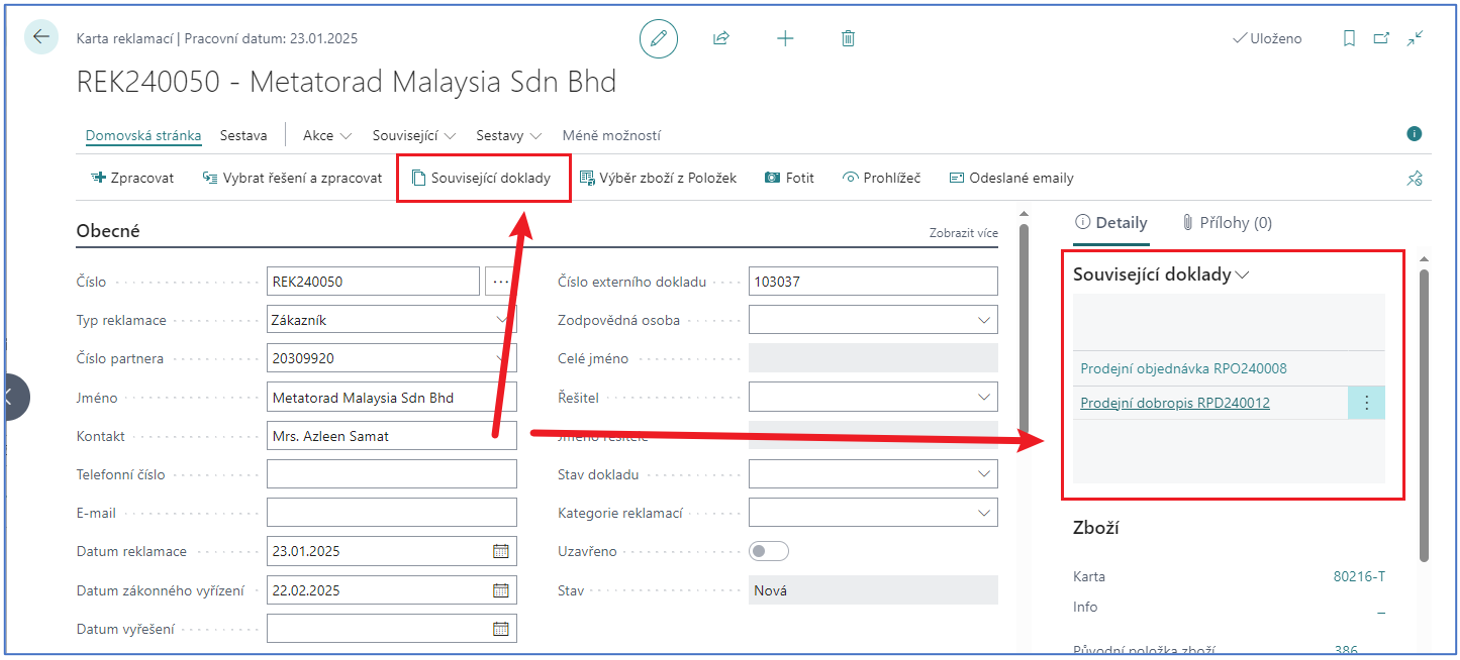
The documents related to the given Return Claim can be displayed for the Return Claim card. According to the entries of the specific Return Claim, the individual documents are displayed in the Related Documents FactBox and can be opened from there. The Related Documents functionality can be extended with documents which do not have to be registered in the Return Claim Entries - the tables and the fields of the tables in which the Return Claim number is registered can be set by the user. Such documents are then automatically displayed in the Related Documents FactBox as well.
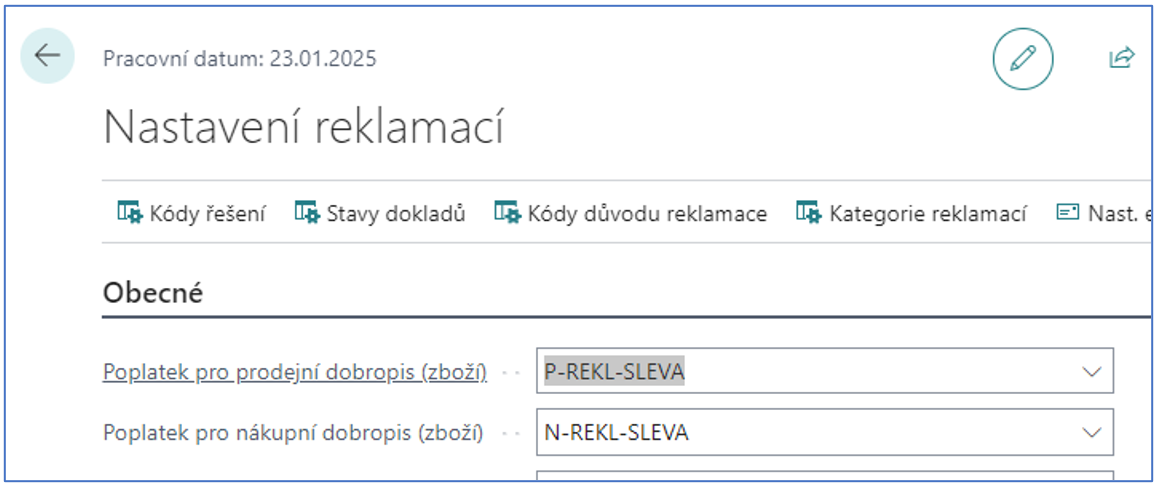
Credit Memo with Charge - Assignment of the Charges to the Original Documents
When creating purchase or sales credit memos with a charge, the charge is automatically assigned to the original document. The charge used in the documents is set in the Return Claim Setup.
Global Dimensions from the Original Documents on the Related Documents
When creating purchase or sales documents for the Return Claim, the dimension values from the original documents (invoices) are applied to these documents.
Setup Wizard
The assisted setup is extended for an easier and faster setup of the complaint module:
-
Automatic setup of the number series and other selected data
-
Taking over the number series from the Sales & Receivables Setup and the Purchases & Payables Setup
-
Automatic creation of the available Return Claim solutions and other basic code lists
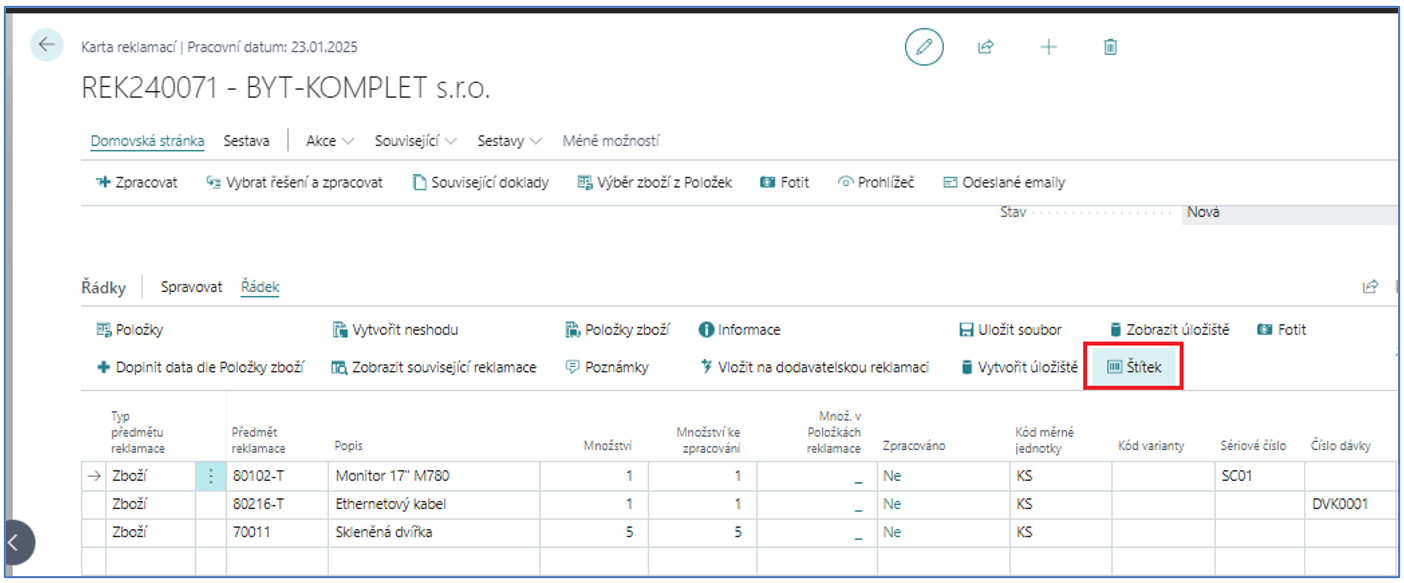
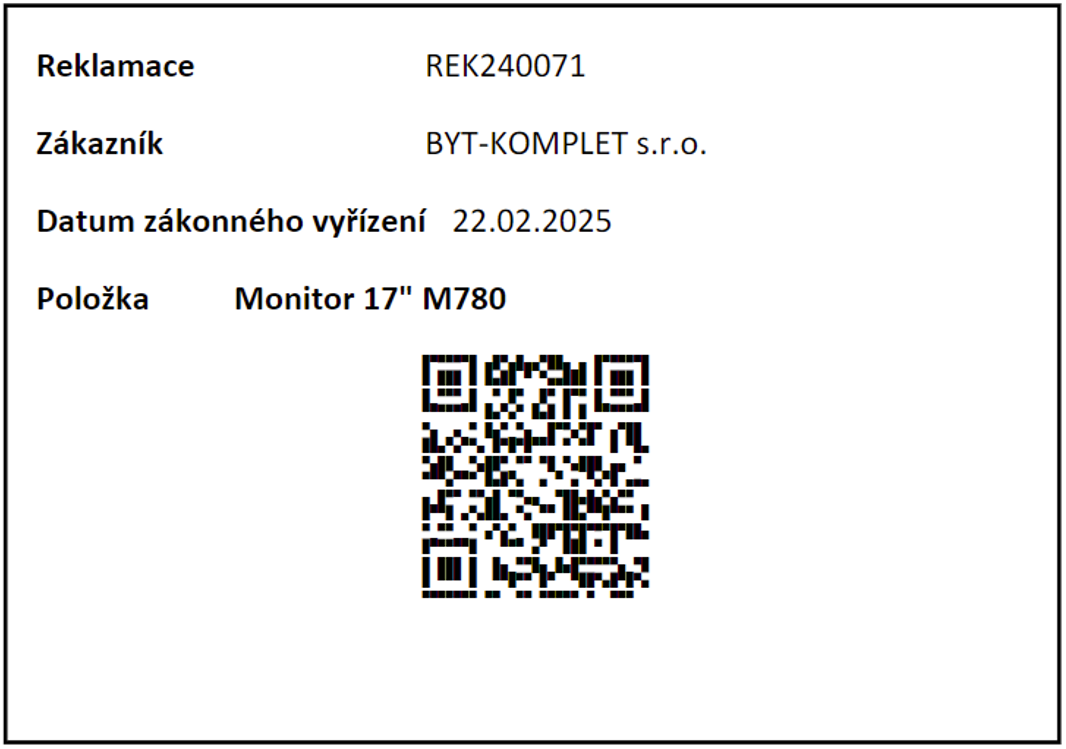
Return Claim Item Label
Printing of a label of the Return Claim line. The design is prepared in Word.
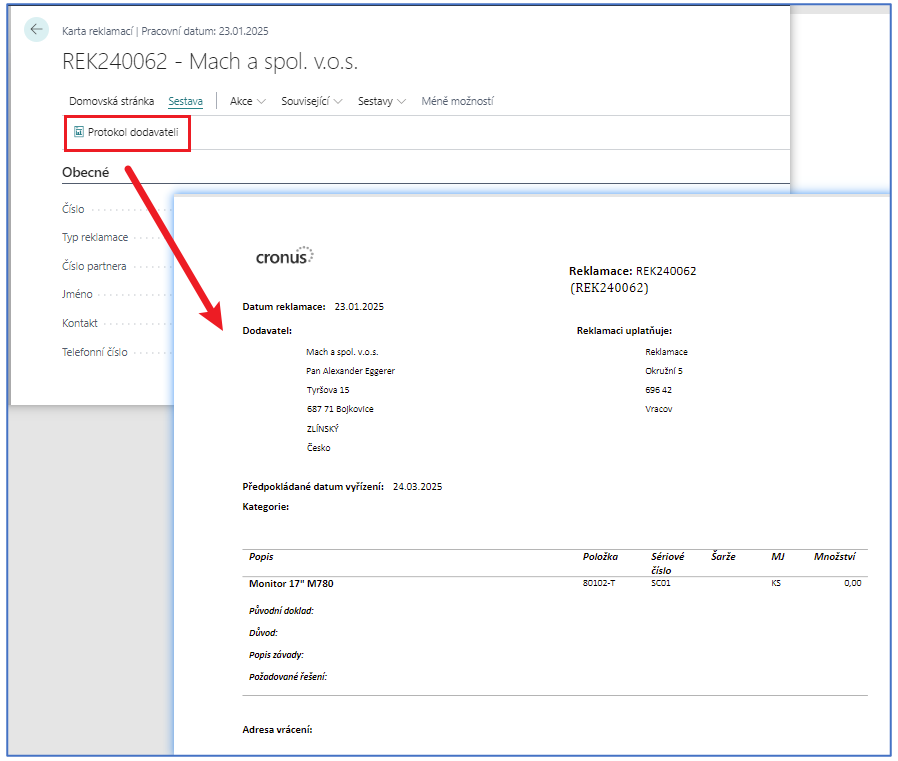
Vendor Protocol
A new design of the vendor protocol. The design of the protocol is created in MS Word. The customer can then create their own design of the protocols using the standard functionality.
Solution Codes and the Return Claim Type
