Creating Sales Documents
Automatic OSS Behaviour on Sales Orders / Invoices
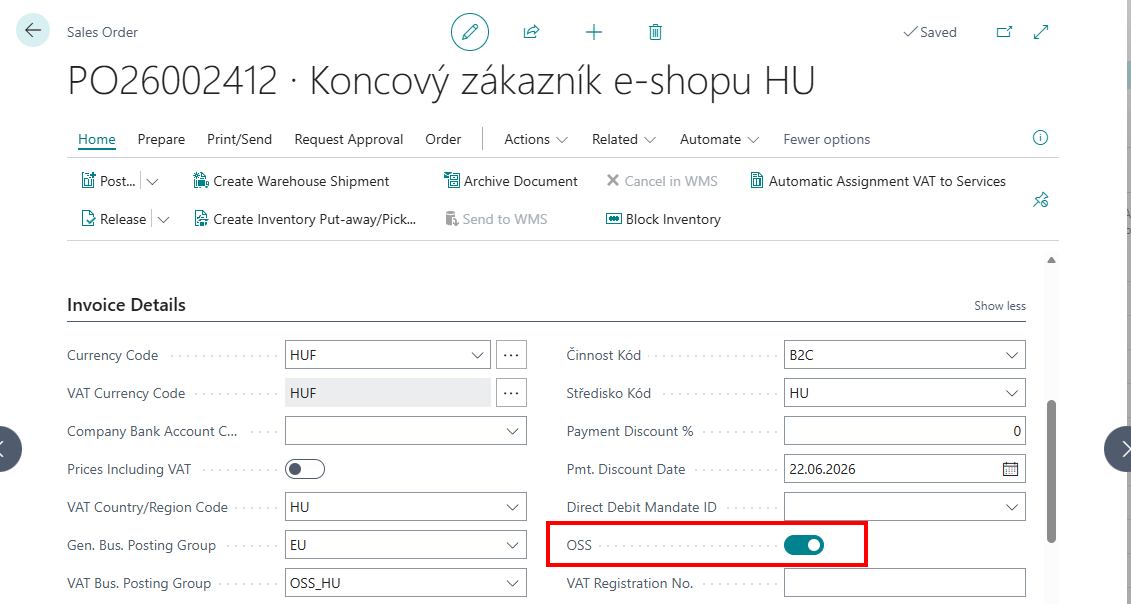
When you create a sales document for an OSS-enabled customer:
- The OSS field on the document header is automatically set to
Yes(copied from the customer). - When you set or change the Ship-to Country/Region Code, the system looks up the VAT Setup for OSS table and automatically updates the VAT Business Posting Group on the document to match the origin → destination route.
- When you change the Location Code, the same recalculation is triggered (the origin country is derived from the location's country).
- When you add an item line, the system looks up the Item VAT Setup and Item VAT Rate Setup tables for the destination country and VAT Reporting Date, then automatically sets the correct VAT Product Posting Group on the sales line.
OSS mode is only effective if a matching row exists in VAT Setup for OSS for the origin → destination route. If no match is found, the customer's default VAT Bus. Posting Group is used.
Credit Memos and Return Orders
For credit documents, the destination country is taken from the Rcvd.-from Country/Region Code field (the country the goods are returned from) instead of the ship-to address. The origin → destination logic is applied in the same way.
OSS Toggle on the Document
You can manually toggle the OSS field directly on the sales document header to override the behaviour for a specific transaction. Toggling it off restores the customer's default VAT Bus. Posting Group; toggling it on re-applies OSS group resolution.